Notice continuous use
Turn a vague sense of “too much” into a screen rhythm you can understand.
Digital wellbeing · Screen habits · On-device privacy
SignalBreak meets you at a continuous-use checkpoint and helps you look away. Gaze into the distance, close your eyes, blink, or follow a calm breath—one short pause can turn “I should rest” into something you actually do.
Core eye-care features are free · Built for iPhone and iPad · Requires iOS / iPadOS 17 or later
SUPPORT, NOT PUNISHMENT
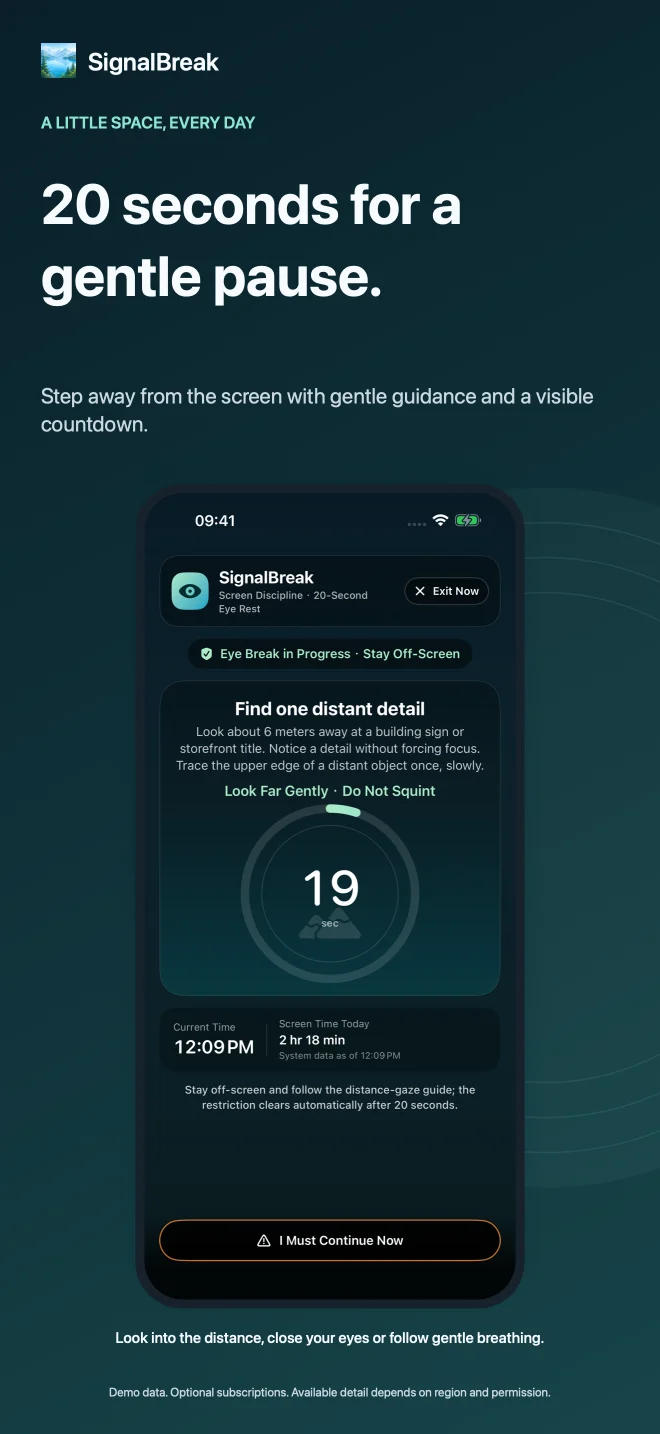
Using Apple Screen Time, SignalBreak presents a clear, restrained reminder at the continuous-use threshold you choose. Start a guided 20-second break, or pause protection for a high-priority meeting or journey.
Lower your phone a little and focus on something farther away. Breathe naturally—there is nothing to force.
Turn a vague sense of “too much” into a screen rhythm you can understand.
Distance gaze, closed eyes, breathing, blinking, and gentle eye relaxation rotate with clear safety cues.
Reports and seven-day footprints count completed actions, so every real pause is visible.
COMPLETE WITHOUT BEING INTRUSIVE
SignalBreak is designed around work, travel, meetings, and downtime. The protection state stays understandable, with clear pause reasons and remaining time.
At your threshold, a system Shield guides a 3-second preparation and 20-second break, then releases automatically when completed.
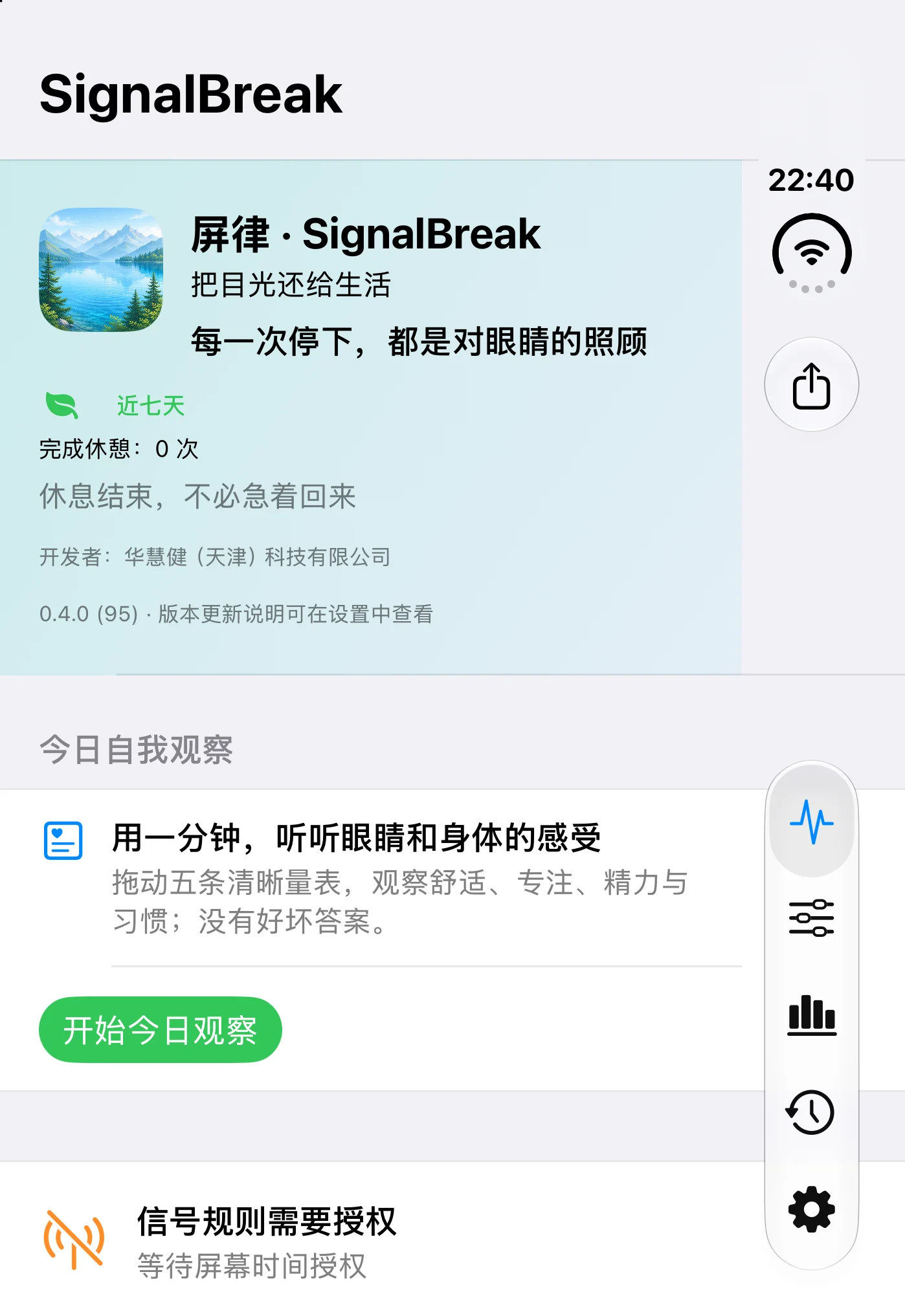
In one minute, note eye comfort, focus, energy, screen self-control, and how helpful the reminder felt—without turning feelings into a medical score.
See protection status from Home Screen, Lock Screen, or Control Center. Pause for a reason and resume when the timer expires.
Practical, bounded guidance on screen rhythm, humidity, blinking, warm compresses, sleep, and outdoor time.
A GENTLE BOUNDARY FOR MORNING AND NIGHT
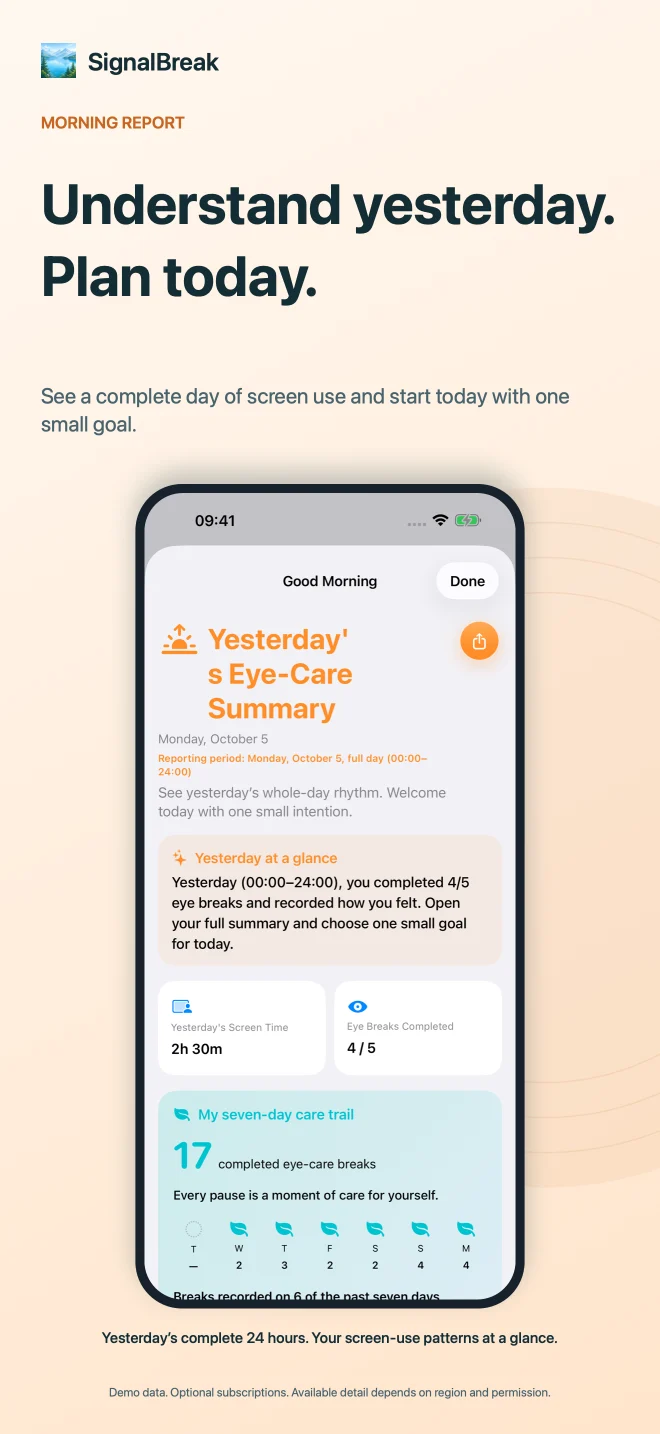
The morning report uses the complete previous calendar day to help set one small intention. The evening report summarizes actions up to the time it is opened and closes with encouraging, practical guidance.
PARENT INSIGHTS · OPTIONAL SUBSCRIPTION
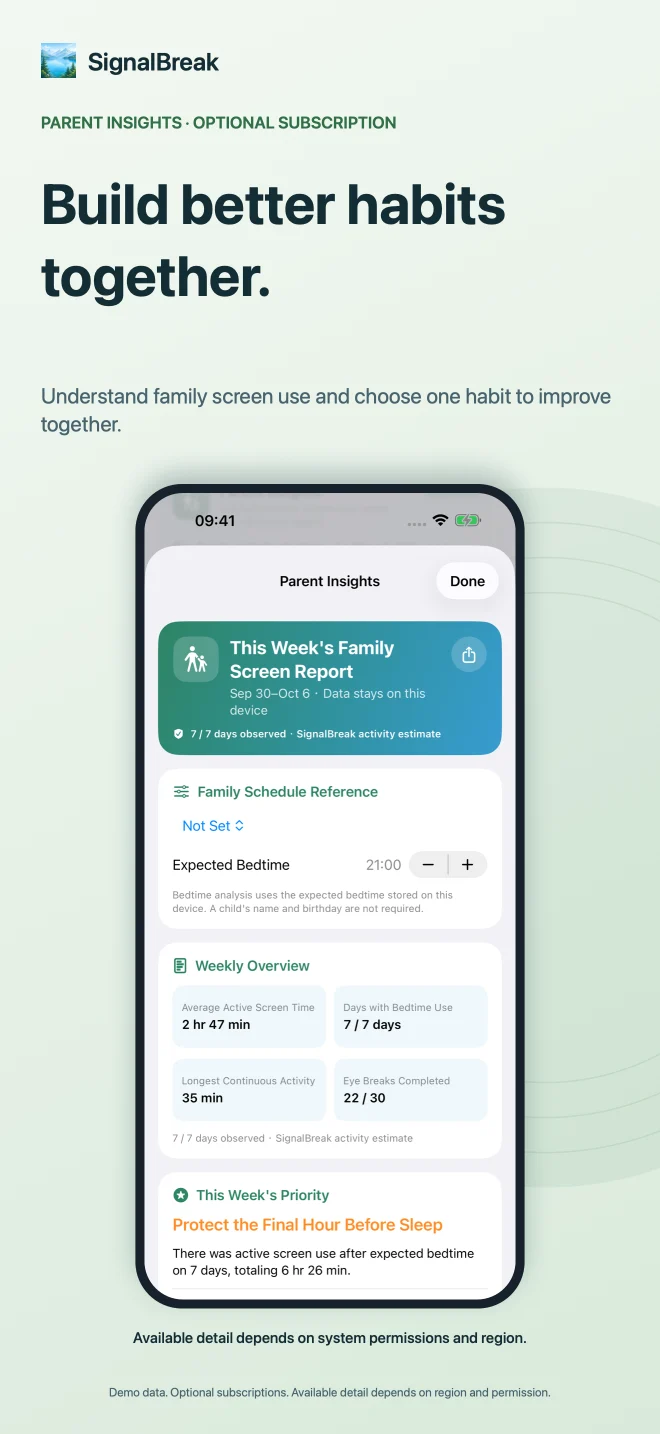
Parent Insights is not covert monitoring and does not grade a child. It turns weekly rhythm, bedtime use, continuous sessions, and eye-break follow-through into facts a family can discuss—and suggests one action that is easier to try together.
PRIVACY BY DESIGN
SignalBreak currently creates no user account and does not send Screen Time tokens, app names, or raw activity logs to the developer’s servers. Review storage, delete local records, or revoke permission from the app.
Read the privacy policyCLEAR VALUE, CLEAR CHOICE
A subscription determines the depth of analysis. System permission determines the level of detail the device can provide. SignalBreak explains both before purchase.
Turn “I should rest” into a 20-second action.
Understand rhythm, trends, and the first habit worth changing.
Use a week of facts to build agreement, not conflict.
Price, currency, trial, and availability are shown by the App Store for your region.
FAQ
No. SignalBreak does not read chats, photos, contacts, recordings, or call content. Screen activity is supplied through Apple Screen Time permission and stays on the device by default.
No. SignalBreak is a digital-wellbeing and habit aid, not a medical device, and it does not diagnose or treat conditions. Consult a qualified professional about persistent discomfort, pain, blurred vision, or headaches.
No. Core Shield protection, 20-second breaks, essential history, daily reflection, and the knowledge library remain free. Personal and Parent Insights are optional subscriptions.
App-level, pickup, and notification data depends on Apple permission, system version, and regional capability. When unavailable, SignalBreak explains the scope and continues with aggregated insights from confirmed activity, breaks, and reflections.
SIGNALBREAK
Every pause counts.